Scheduling

Classes that book, waitlist and police themselves

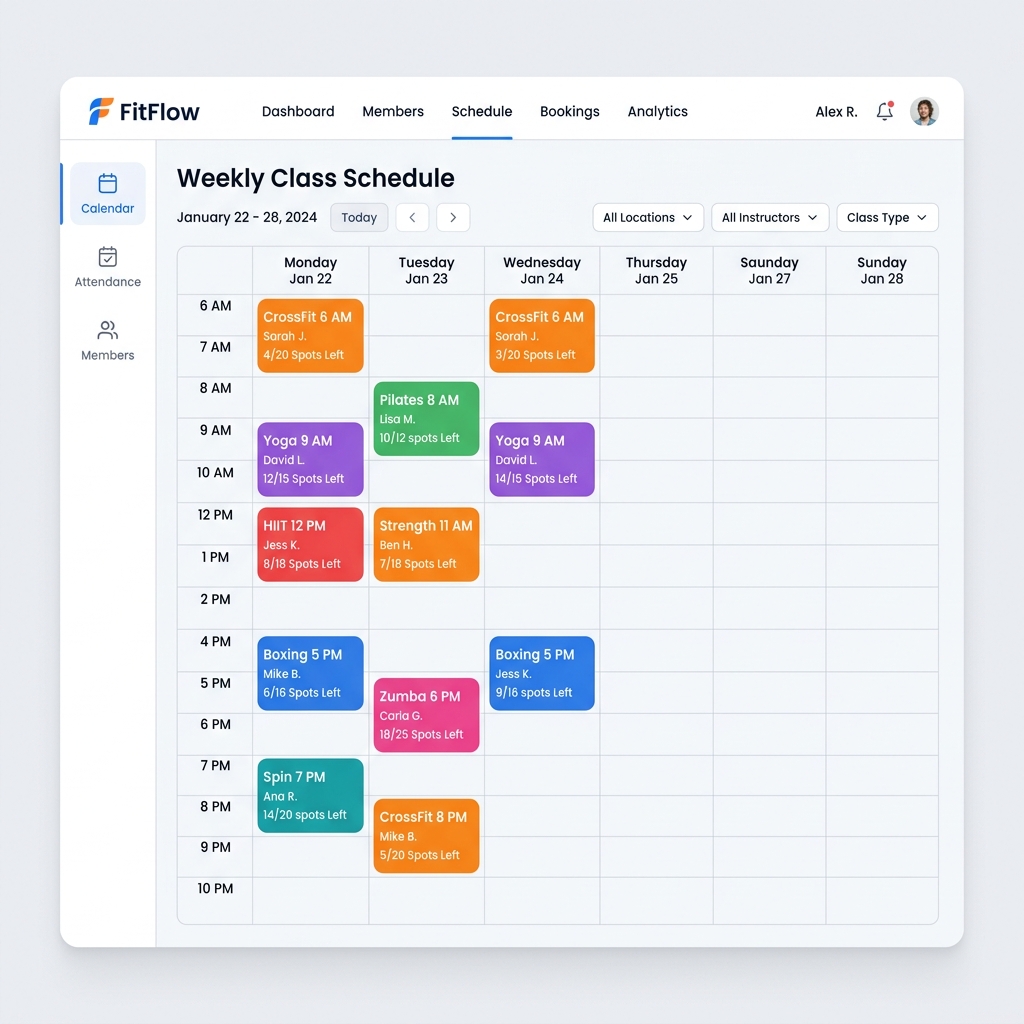
Set up recurring classes with instructor, room and capacity. Members browse and book from your public calendar, full classes build an ordered waitlist, and when a spot opens the next member is promoted automatically — with a “You're in!” email.

  • Recurring schedules — set up once
  • Ordered waitlists with automatic promotion
  • Cancellation deadlines enforced server-side

From A$89/month +GST. Every feature included on every plan — no add-ons, no credit card to start.

Class Schedule & Booking in WeeksPro
Built in Brisbane
Data hosted in Australia (AWS Sydney)
Month-to-month — no lock-in contract

Why studios switch for this

The old way

  • Rebuilding the timetable term after term in spreadsheets or Google Calendar
  • Full classes mean lost bookings — or a DM-based waitlist you manage by hand
  • Late cancellations argued about at the front desk, case by case
  • Members text you to book because the booking flow is too painful

With WeeksPro

  • Set a class as recurring once and it populates the calendar automatically
  • Every full class keeps selling — the waitlist refills cancelled spots itself
  • The deadline is enforced by the system, consistently, with staff override when you choose
  • Members self-serve from your public calendar on any device

What you get

Recurring classes

Weekly schedules with an instructor, room and capacity on every class. Build your timetable once instead of every term.

Your public calendar

Your schedule is live on your own website — members browse and book without calling, texting or DMing you.

Ordered waitlists

When a class fills, new bookings join a numbered queue. First in, first promoted — no favourites, no lost names.

Automatic promotion

When a confirmed member cancels, the first person on the waitlist is promoted automatically and gets a “You're in!” email. No admin involved.

One-click promote

Opening extra capacity? Promote from the waitlist in one click and the spot is filled.

Cancellation deadlines

Set a cutoff and the server enforces it for everyone. Staff can override for genuine emergencies — you stay in control, not the honour system.

How it works

  1. 1Create a class: title, instructor, room, capacity, and recurrence — for example every Monday at 6pm.
  2. 2The class appears on your public calendar automatically, and members book in a couple of taps.
  3. 3When the class fills, new bookings join an ordered waitlist with a visible position.
  4. 4If someone cancels a confirmed spot, the first waitlisted member is promoted automatically and emailed “You're in!”.
  5. 5Need to shuffle things manually? Promote from the waitlist in one click, or override a deadline as staff.

Want a walkthrough of every module? Read the full admin guides.

Pilates StudioExample Scenario

Eight reformers, zero empty beds

A reformer studio caps every class at eight. Before switching, a late-night cancellation meant an empty bed the next morning — the owner couldn't ring around at 10pm. Now the waitlist does it for her: the cancellation frees the spot, the first person in the queue is promoted automatically and gets a “You're in!” email while she sleeps. Peak classes run full week after week without a single phone call.

Illustrative example — names and figures are representative of typical studios, not a customer endorsement.

What a booking system that lives in your DMs really costs

Plenty of studios run their timetable through Instagram messages, a group chat and a whiteboard, and it works — at the size where the owner personally knows every member's schedule. The failure is not dramatic; it is gradual, and it is expensive in ways that never appear on a P&L.

The costs show up as evenings answering whether there is space at 6, as the double-booked reformer nobody noticed until two members arrived for one bed, and as the member who wanted to try a class on Sunday night, could not find out whether it was full, and did not follow up on Monday. That last one is the expensive one, because it is invisible.

A public schedule that shows real remaining capacity converts interest at the moment it exists rather than the next time you check your phone.

Waitlists are the feature that pays for the software

A full class looks like a good problem until you count what it costs. Every full class turns away members who wanted to attend, and a proportion of those members quietly conclude that the membership is not working for them.

An ordered waitlist changes the economics twice. When a confirmed member cancels, the first person in the queue is promoted automatically and told they are in — no admin, no favouritism, no lost names on a scrap of paper. And when you open extra capacity, the queue tells you precisely how much demand exists for a second Saturday session, which is far better evidence for adding a class than a hunch.

The ordering matters more than it sounds. A queue that runs first-in-first-promoted is defensible to every member; a queue that depends on who messaged the owner directly is a slow-burning fairness problem in a community business.

Cancellation deadlines and the limits of the honour system

Late cancellations are the single most common source of friction between studios and their members, and almost every studio starts by handling them informally. The informal approach works until the studio grows past the point where the owner can personally remember who cancels late and how often.

A cutoff enforced by the system is fairer than a cutoff enforced by memory, because it applies identically to the member who has been there six years and the one who joined last week. It also removes the owner from the position of adjudicating each case, which is the part that actually causes resentment.

The important nuance is keeping a staff override for genuine emergencies. A rule with no human exception is a rule that eventually forces you to be unreasonable to someone whose circumstances deserved better — and rigid software is a poor excuse for that conversation.
Frequently asked questions

How do waitlists work?

When a class is full, new bookings join an ordered waitlist with a numbered position. If a confirmed member cancels, the first person in the queue is promoted automatically and receives a “You're in!” email. You can also promote members manually in one click.

Can I stop last-minute cancellations?

Yes — set a cancellation deadline per class and the server enforces it. Members can't cancel past the cutoff, and staff can override in genuine emergencies.

Do members need to install anything to book?

No. Your schedule lives on your public website and members book from any browser, on any device.

Can I run different instructors and rooms?

Yes — each class carries its own instructor, room and capacity, so parallel classes and multi-room studios work naturally.

What does this cost on top of my plan?

Nothing. Scheduling, booking and waitlists are included on every WeeksPro plan — there are no per-booking fees, ever.

Put class schedule & booking to work at your gym

Every WeeksPro plan includes all 21+ modules — from A$89/month +GST with a 30-day free trial, no credit card required.

Switching from another platform? The founder migrates founding partners personally — free.

See how boutique studios run scheduling

Explore more features

All included on every plan — no add-on pricing, ever.

See all 21+ features